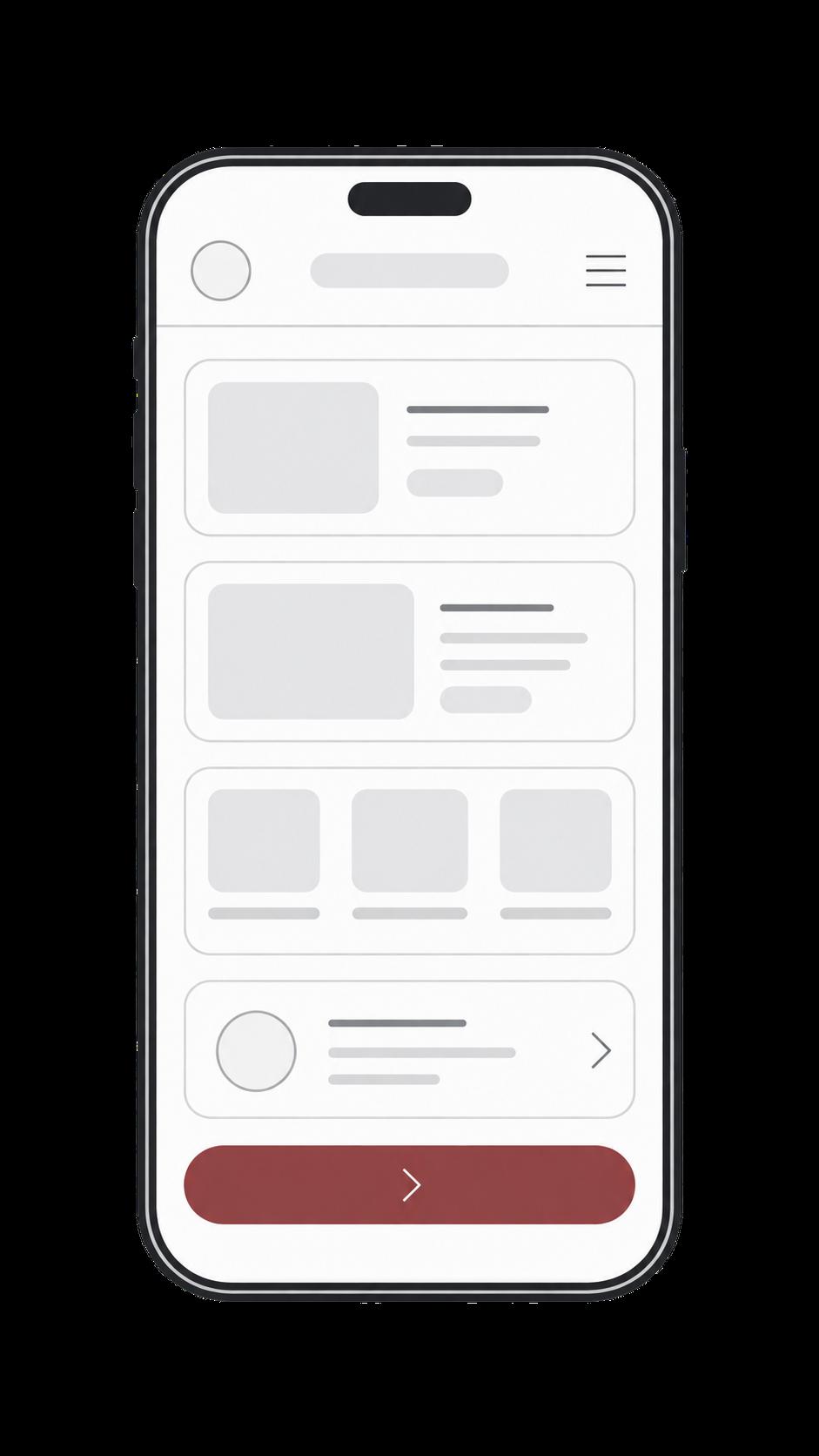
Facturatie & administratie app
Mobiele applicatie voor facturen, klanten, betalingen, omzetinzichten en financiële administratie in één duidelijke workflow.
→Apps
An app is useful when people do the work on the move or repeatedly. Otherwise a web application in the browser is often stronger.
mobile · field · workflows
Open a job and change status — typical field work.
Tinsights builds business apps, customer apps and web-based applications, including Progressive Web Apps. We do not claim a fixed native framework. The choice follows use: phone, desktop, or both.
Behind the app there is almost always a backend: accounts, data, permissions and connections. Those belong to the job, not to a separate shell project.
App · Webapp
Fits when people use the product often on a phone, or when notifications and a fixed starting point matter.
Swipe between mockups — real app UI, no stock photo.
01 / 05
Mobiele applicatie voor facturen, klanten, betalingen, omzetinzichten en financiële administratie in één duidelijke workflow.
→Applicatie voor reserveringen, menubeheer, bestellingen, bezetting en dagelijkse horecawerkzaamheden.
→Applicatie voor planning, routebeheer, klantlocaties, werkorders, jobdetails en statusupdates voor buitendienst- en serviceteams.
→Flutter-appconcept gericht op onboarding, rustige interactie en eenvoudige dagelijkse gebruiksflows.
→Screens follow the gesture: open, set status, complete.
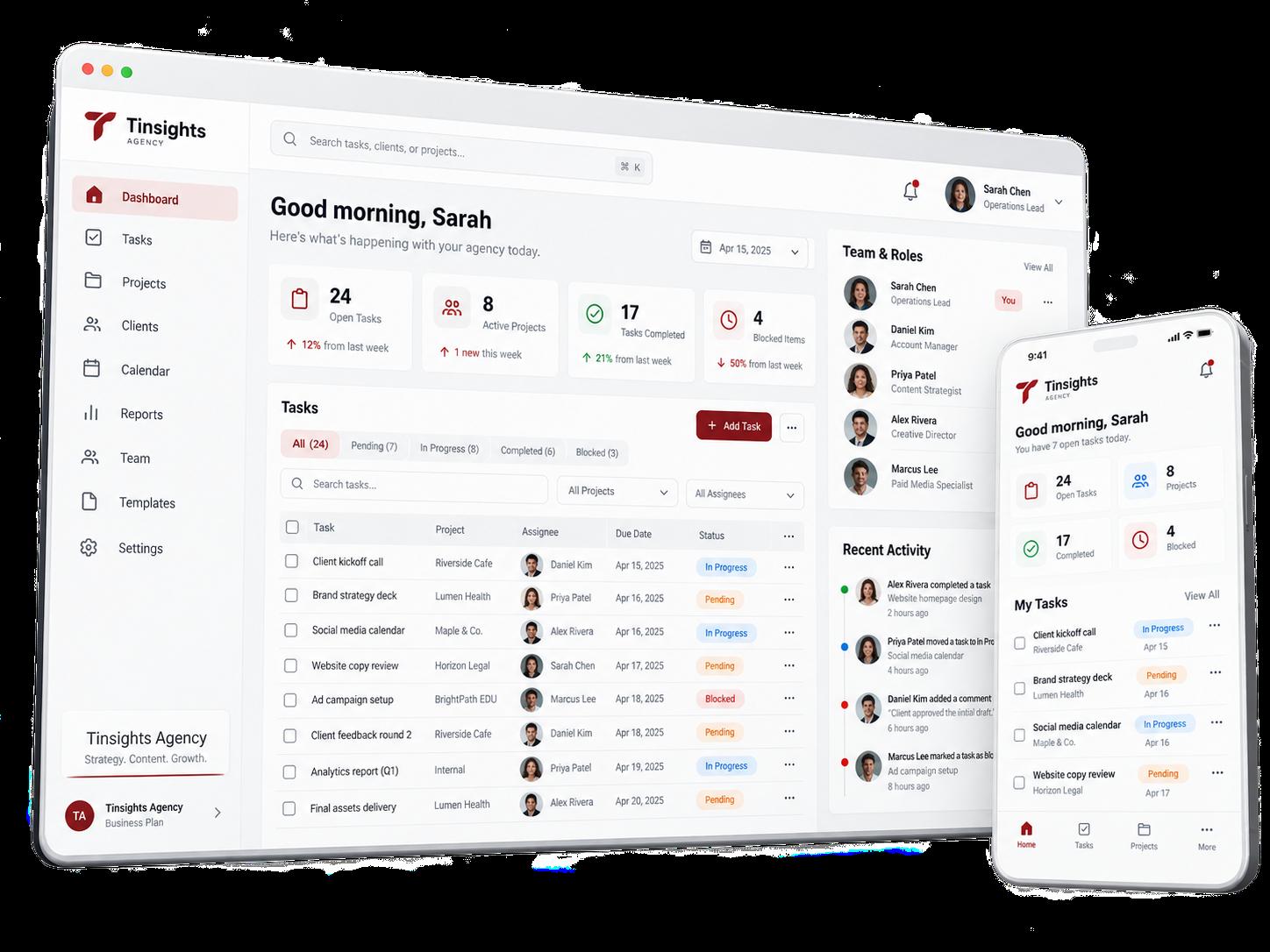
We rarely show apps and signed-in environments as a public demo. Recent public cases are mostly websites.
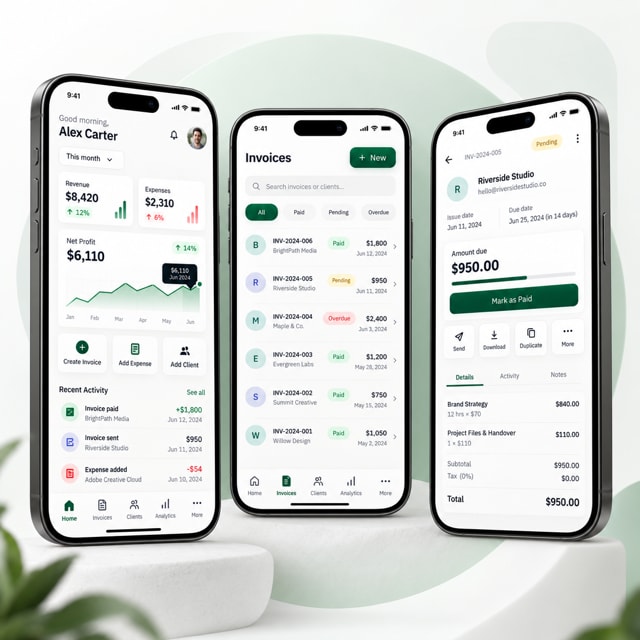
Facturatie / administratie
Mobiele applicatie voor facturen, klanten, betalingen, omzetinzichten en financiële administratie in één duidelijke workflow.
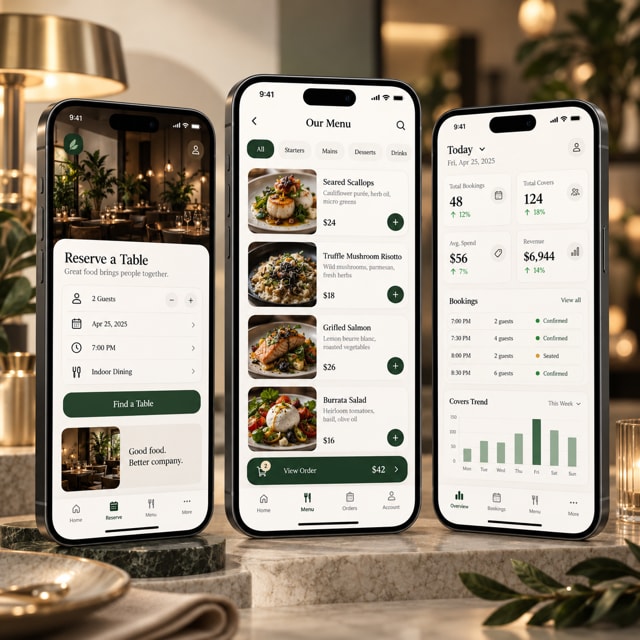
Horeca
Applicatie voor reserveringen, menubeheer, bestellingen, bezetting en dagelijkse horecawerkzaamheden.
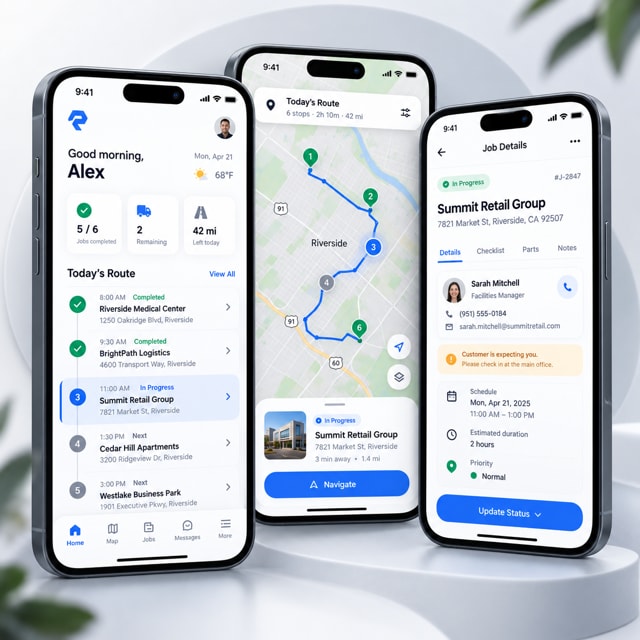
Field service
Applicatie voor planning, routebeheer, klantlocaties, werkorders, jobdetails en statusupdates voor buitendienst- en serviceteams.
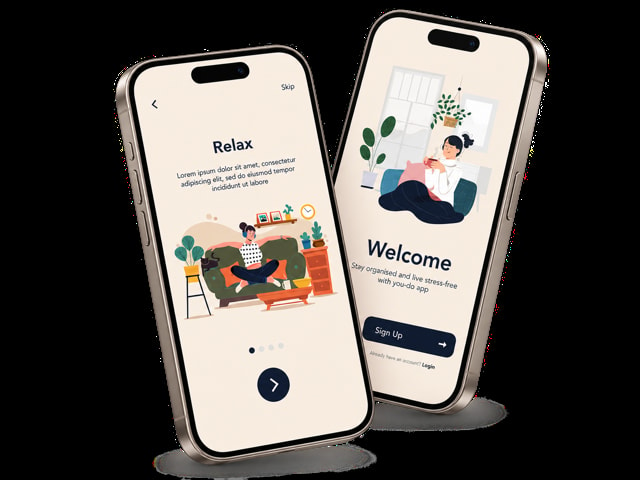
Wellness
Flutter-appconcept gericht op onboarding, rustige interactie en eenvoudige dagelijkse gebruiksflows.
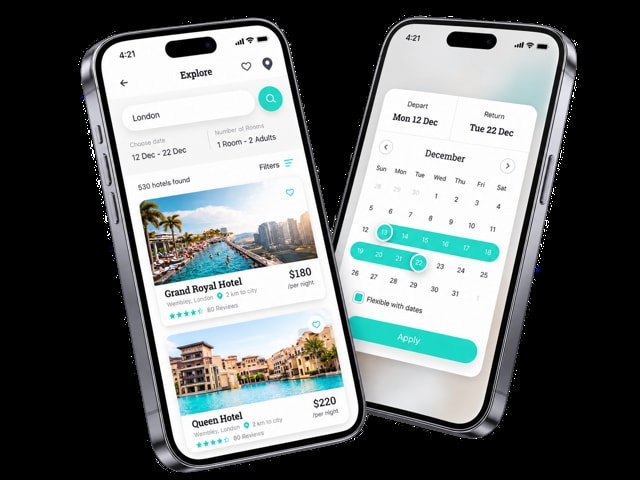
Travel / booking
Flutter-bookinginterface voor zoeken, datumselectie en accommodatiekeuze.
Not always. A Progressive Web App or web application is often enough. We only add a store release when the use needs it.
Apps
Describe who will use it and on which device. We will say which channel carries the work best.